
USFans Delivery Estimates: Compare the Same Part of the Journey
A delivery estimate is useful when you know which part of your USFans purchase it describes. Do not compare time from ordering an item with time from a parcel's carrier handoff and expect the two numbers to mean the same thing.
Begin with the stage you have actually reached.
Locate the item before timing the parcel
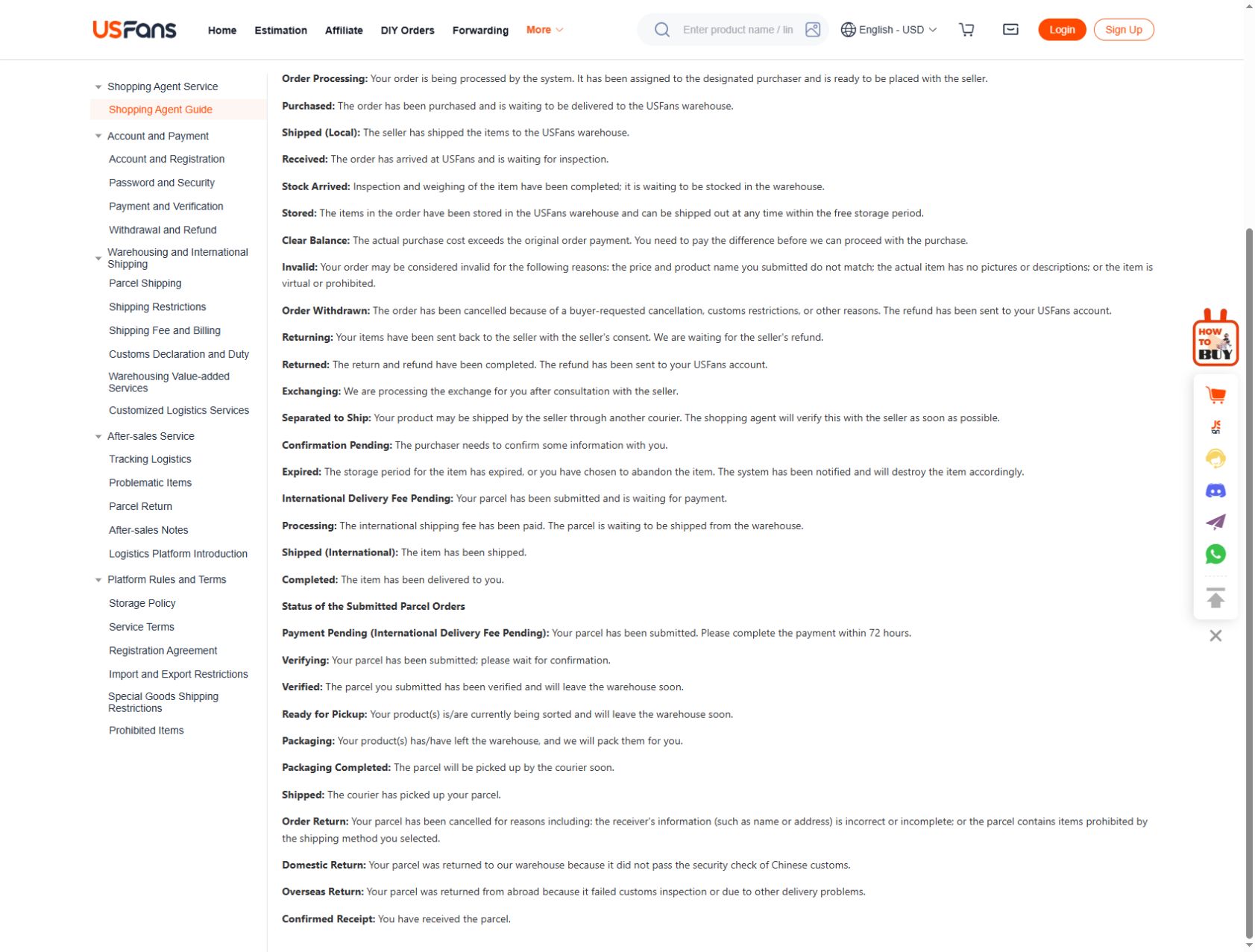
If you are still waiting for a purchased item to reach the warehouse, your question is about that item. If you are waiting for a prepared parcel to move, use the parcel reference. Several items intended for one shipment can be at different stages.
The order-status guide helps identify the relevant record. In USFans' help terminology, Shipped (Local) concerns seller-to-warehouse movement. A parcel's Shipped status instead refers to carrier collection. Choose the start event before calculating elapsed time.
Ask what starts and ends the estimate
Read whether the range concerns dispatch, carrier acceptance or arrival. Clarify whether preparation is included and whether the stated days are working days or calendar days.
If the wording leaves either endpoint unclear, ask before using it to plan around a fixed occasion. A range displayed for another route or destination does not become your estimate simply because the parcel looks similar.
The shipping guide keeps the service and parcel information together.
For a hypothetical calendar-day example, suppose you buy an item on 2 September, it reaches the warehouse on 6 September, and the international carrier collects the parcel on 9 September. On 14 September, the purchase is 12 days old, but only five days have elapsed since carrier collection. Neither number establishes a delivery date. The difference is the starting event, not faster or slower transport.
Avoid turning a product page into a timetable
A public listing identifies a candidate, not the progress of your own purchase. For example, inspect the garment options on USFans Spreadsheet to compare the selected item. Its appearance online does not establish when it would reach the warehouse or your address.
Resolve the product option and contents before treating the parcel plan as fixed. Changing the intended purchase changes the question you need answered.
Compare event times carefully
Keep the time of the event distinct from the time a notification arrived. Preserve the time zone where it is shown. If an email and an account page disagree, compare the same item or parcel rather than assuming every message describes one journey.
A tracking reference alone is not a confirmed handoff. The tracking guide helps distinguish a reference from an actual movement event.
An unchanged display does not explain the cause of a delay. Avoid assigning a cause based solely on how long the page has looked the same.
Ask about the next step
A useful private request states the reference, latest event and interval you are asking about. Ask whether any action is required from you and what the next expected event is.
Do not use another shopper's arrival date as a deadline for your own parcel. Their report may start at a different event or concern a different route. Ask about the latest parcel event through a private support channel.
Keep any unresolved timing uncertainty visible in your own plan. An estimate can help compare options, but it is not a guaranteed arrival date.