
USFans QC Photos: Use the Image to Answer One Traceable Question
USFans QC photos are evidence only when you can match them to the item, option and question you are asking. Start with the order or item reference, then decide which visible detail would change your next action. Do not expand one clear photograph into a verdict about every property.
A side view answers a side-view question
In this public USFans Product QC photograph, two white shoes lie with their sole edges facing each other. You can locate the side-panel seams, small perforations and the upper-to-sole edges. If your question concerns one of those seams, this overview supplies the location for a targeted close-up.
The same frame does not show the whole tread underneath or an insole laid out for measurement. Nor does the ruler in the background establish that both shoes have identical dimensions: the endpoints and measuring method have not been set out. Choose the next view from the unanswered question. For a jacket, use that same discipline by asking for the relevant sleeve seam, not another picture of the front when the sleeve detail remains hidden.
Match the image before reading it
Confirm the product reference, colour, size and relevant date. If several similar items appear in a warehouse, a close-up without its surrounding record may be impossible to attribute. Keep an overview and the detail view together.
For a jacket comparison, inspect the jacket details on USFans, note your intended colour and size, then compare those choices with the allocated item's warehouse photographs. Keep the listing image and the received-item image labelled separately.
Ask a visible question
| Question | What a suitable image may show | What remains open |
|---|---|---|
| Is the selected colour visible? | A relevant view under understandable lighting | Exact colour under every display condition |
| Is a tag or label present? | A readable tag attached to the item | Actual fit or measurement accuracy |
| Is there an obvious mark? | A sharp view with surrounding context | Cause, depth or long-term effect |
| Is the selected design present? | The relevant feature from a useful angle | Hidden construction or authenticity |
| Is a measurement needed? | Clear endpoints, unit and scale | Comfort or use effect |
If the image does not show the detail, ask for a targeted view or measurement where the current service scope allows it. Do not treat a general arrival picture as a complete inspection.
Separate appearance from function
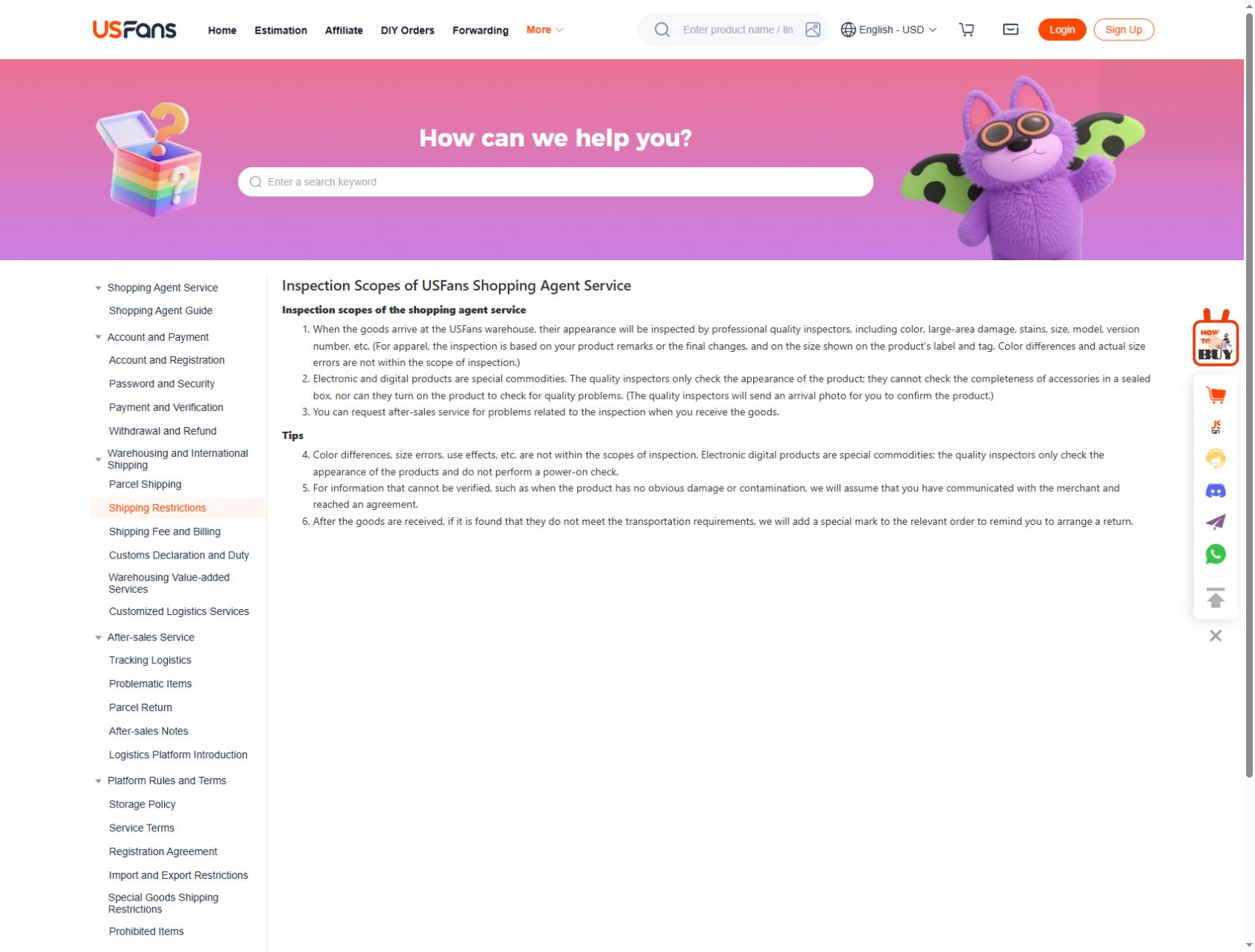
The USFans inspection-scope page checked on 30 September 2026 describes appearance checks, including major damage, stains and the labelled size or model. For clothing, it refers to the selected remarks or agreed changes and the size on the label; it excludes actual-size errors and colour differences from the stated scope. That makes a requested physical measurement useful when fit depends on more than the tag.
For electronics, the same page says the standard inspection does not power the item on or verify accessories inside a sealed box. A photograph showing the outside of that box should therefore not be presented as a functioning-device test.
An appearance check can reveal a visible mark, colour area or label. It does not test durability, comfort, fit or authenticity. For electronic products, an exterior photograph does not establish that a sealed accessory set is complete or that the device powers on.
Keep a size label separate from an actual measurement. The size guide explains how to compare endpoints and units. The warehouse guide explains why arrival and inspection are separate stages.
Request the view that could change your choice
For sleeve length, ask for a view showing the starting point, cuff endpoint, measuring tape and unit together. For a suspected surface mark, ask for a clear overview plus a close view of that same area. For a missing piece, identify the purchase unit first: a gallery containing two garments does not prove both were included in the selected option.
Confirm the available photo service and any charge before requesting it. A precise request avoids paying for another broad view that still omits the detail you need.
Compare the same reference
If you find a QC example through an image search, review or community post, identify whether it concerns the same product and option. Similar photographs can come from a different colour, size or order. Use examples to formulate a question, not to replace your own matched record.
The spreadsheet links guide helps identify a changed destination, while the safe-use guide covers privacy when sharing screenshots.
Decide the next action explicitly
After review, record one of three outcomes: the visible question is answered, another detail is needed, or you want to ask about a remedy. A photograph with no obvious defect is not automatic approval of every hidden property. If an issue concerns a return, keep the image tied to the item and read the returns guide.
Can a QC finder prove the item is the same?
Not by visual similarity alone. Match the product reference, option and order context.
Does a tag prove the garment fits?
No. It identifies a labelled option; fit depends on the relevant measurements and intended use.
Can I post an unredacted screenshot?
Remove account identifiers, addresses, payment details and private order codes before public sharing.