
Is a USFans Spreadsheet Safe? Check Each Action Instead of One Label
“Is USFans safe?” is too broad to answer from a spreadsheet title or a single review. Break the question into the action you are about to take: open a destination, sign in, pay, assess an item or submit a parcel. Each step needs its own evidence.
Access screen checked on 1 October 2026
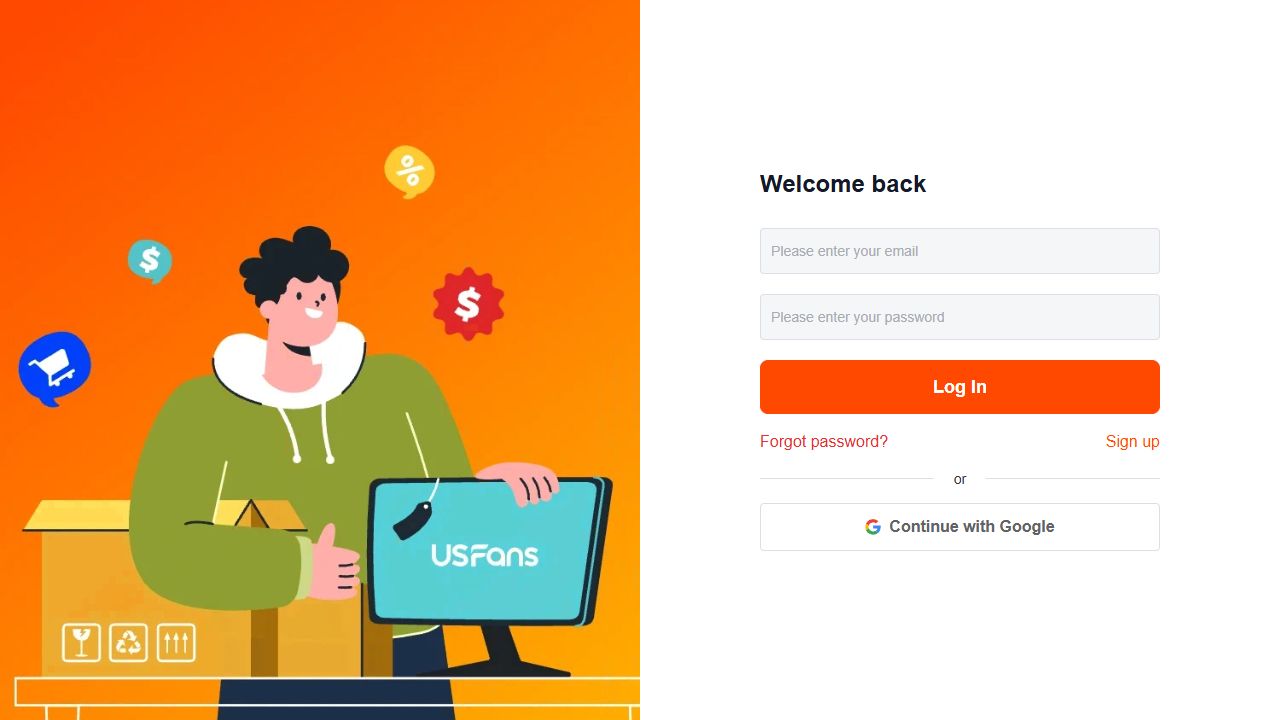
A logged-out visit through Affiliate on 1 October 2026 reached USFans' form with email/password, Continue with Google, Forgot password and Sign up. This illustrates why a product lead and an account action must be identified separately: understand the destination before providing access information.
Check the destination first
Compare the address you intended to open with the page you reached. A product image or familiar name does not explain why a login or payment page appeared. If the destination changed, keep the original source and classify the new page before entering information.
For an ordinary product check, open the T-shirt listing on USFans and compare its address and selected option with the row you saved. Keep that browsing action separate from any later request for credentials or payment.
Protect the account separately
Use a unique password for the service and protect the email address used for recovery. General security guidance from CERT Polska recommends unique passwords, a password manager and two-step verification where available. That guidance is not a statement that USFans offers every feature.
Never share a password, one-time code or recovery link with someone who says it is needed to check a spreadsheet row. If a message urges a quick action, inspect the destination independently and ask why the action is necessary.
Read the payment request
Before confirming, identify the account, currency, amount and stage. Product cost, domestic transport and international parcel cost are different fields. If a page fails to refresh, check the order and payment records before paying again. The ordering guide and payment guide keep those cases separate.
An unexpected private payment request deserves a pause and a verified support question. Do not treat a familiar product photograph as proof that the request belongs to your order.
Keep item evidence tied to the selection
A spreadsheet can help locate an item, but it cannot prove fit, function, authenticity or future condition. Match QC images to the order and selected option. The QC guide explains what visible images can and cannot establish.
If a similar item appears in a review, treat it as a candidate or example, not as evidence for your order. The review guide separates individual reports from general conclusions.
Protect parcel and support records
Before shipping, check actual contents, destination, measurements and current service conditions. Keep parcel references private when asking for help. A tracking status is evidence about a parcel event, not a product guarantee; use the tracking guide.
If an item issue becomes a return or refund question, preserve the matched evidence and current terms. The returns guide explains why another transaction cannot decide yours.
Stop when the requested action is unclear
Pause if the page asks for credentials through an unexpected route, the selected option has changed, the amount lacks a stated basis or a screenshot exposes private information. Ask one focused question through a verified channel rather than making a guess.
Does a spreadsheet recommendation make a transaction safe?
No. It can organise a comparison. The destination, account action, payment and parcel still need separate checks.
Does a QC photo prove quality?
It can show visible details of the matched item at that view. It does not establish hidden function, fit or authenticity.
Should I share my order number publicly?
Remove private identifiers from public posts. Send the minimum necessary reference through the appropriate private support route.
Back to the USFans spreadsheet homepage · Back to top
State the affected action
Describe whether the message appeared while selecting a product, accessing an account, submitting a purchase or arranging a shipment. Save the exact wording privately with the relevant reference.
The same general word can have a different meaning at a different step. A payment response needs transaction records; a transport restriction needs the parcel's contents and proposed route.
If the notice follows a transaction attempt, check that attempt's state before repeating the action. A warning does not necessarily explain whether a record was created.
Clarify the condition instead of hiding it
Do not change names, contents or destination details simply to make a notice disappear. Keep the information accurate and ask what supported correction, if any, is required.
For an account notice, follow the account guide and seek clarification about that identity. For a parcel question, ask about the actual contents and destination rather than assuming another shipment proves yours can proceed.
An unrelated product or new account is not evidence that the original concern has been resolved.
When the parcel has no available route
USFans' shipping-restrictions help record dated 10 September 2026 explains that item attributes affect which routes appear. It directs buyers to View Reason for the intended route, then to online customer service for a case-specific check. Keep the route name and stated reason with the actual item description.
If an attribute is incorrect, ask for it to be checked against the real product. Do not remove a battery, liquid or other relevant characteristic from the description merely to make a shipping option appear. A suitable correction resolves an inaccurate record; it does not remove a carrier's restriction on the actual contents.