
USFans Tracking: Put Every Parcel Event in the Right Order
USFans tracking is easier to understand when one parcel identifier, carrier context and event time stay together. A product row, warehouse status and carrier event describe different stages. Build the timeline before deciding that a package is delayed or lost.
Verify the parcel reference
Open the parcel you want to follow and choose Tracking Details. This is the entry described in the USFans help page checked on 30 September 2026. Use the parcel record rather than the product order number: several purchased items can travel together, while a split shipment needs more than one parcel timeline.
Copy the identifier from the parcel record and confirm the carrier or service shown with it. A mistyped number can display another shipment. Keep the product link separate; it identifies what you considered, not where the resulting parcel is.
Record the event wording, time, timezone and location. If the account view and carrier view use different timezones, normalise the timestamps before comparing them.
If your parcel contains a backpack, reopen the backpack details on USFans to keep the selected item attached to your packing list. Track the shipment through its separate parcel record.
Distinguish common event types
“Label created” can show that shipping information was prepared. It does not by itself prove carrier possession. A received, departed or delivery-point event answers a different question. Read the provider's context rather than replacing its wording with a stronger conclusion.
An event mentioning a delivery point may refer to collection instructions rather than delivery to your home. Check the parcel-specific directions before travelling or arranging a second delivery.
Compare two records without rewriting either
An account may show “shipped” before a carrier shows a possession event. Preserve both records and their timestamps. A hypothetical Monday account entry and Wednesday carrier receipt describe separate moments; the example does not establish an actual delay.
Ask platform support to ask which event should guide the next step. If the issue concerns an item remedy rather than movement, use the returns guide.
When the timeline stops
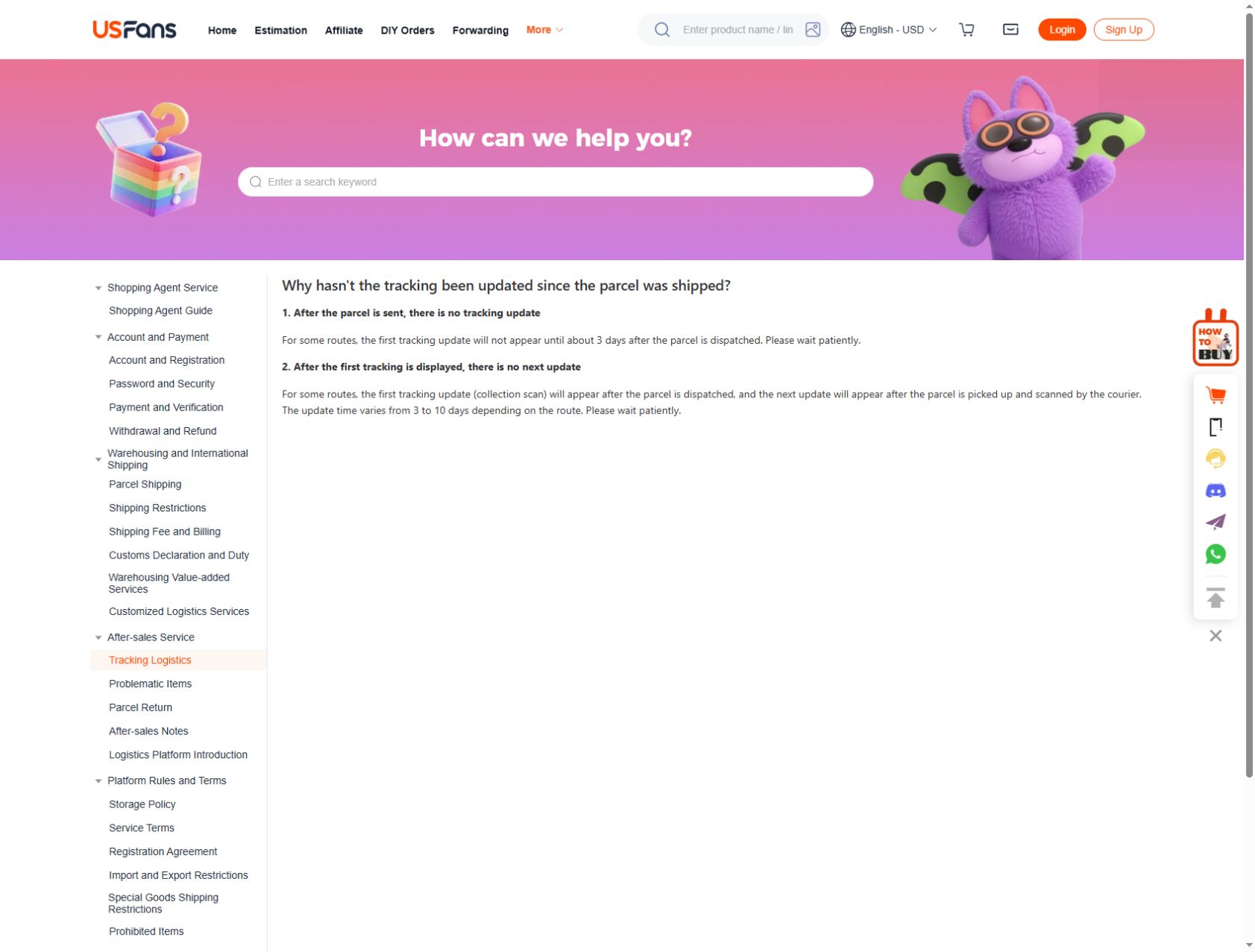
USFans distinguishes two gaps in its help page checked on 30 September 2026: some routes may show their first update about three days after dispatch, while a later scan can take three to ten days depending on the route. These are descriptions of tracking updates, not a delivery deadline or a reason to ignore a carrier's action request. Record which stage is missing before comparing the elapsed time.
| What you can see | What to establish next |
|---|---|
| Parcel marked shipped, no carrier event | The carrier reference, dispatch time and when this route normally starts reporting |
| First scan, then no movement | The exact last event, its location and whether another carrier takes over |
| Address, collection or payment action requested | The request's authenticity and deadline through the verified parcel/support channel |
| One parcel delivered, another still moving | Which purchased items belong to each parcel |
Check the identifier and carrier first. Note the last event and date, then ask about the next expected stage without inventing a cause. Do not pay again or create a replacement order solely because a tracking page has not refreshed; verify the order and payment records.
A useful private support message states the parcel reference, chosen service, last event and timestamp, then asks whether a handover or recipient action is outstanding. That gives support a specific event to investigate instead of asking for a delivery promise from an empty timeline.
Hide addresses, account IDs, phone numbers and full parcel references in public screenshots. Share complete identifiers only in the appropriate private channel.
Does “shipped” mean possession?
Not necessarily. Check the carrier event and context.
Can an example route predict mine?
No. Destination, carrier and parcel contents can differ.
Is a product URL a tracking URL?
No. Product and parcel records serve different purposes.
Back to the USFans spreadsheet homepage · Back to top
Locate the part of the journey
USFans' order-status help page, checked on 30 September 2026, distinguishes purchase records from parcel records. Several easily confused labels refer to different stages:
| Label | Meaning in the help page |
|---|---|
| Purchased | Buying has occurred; arrival at the warehouse is still pending. |
| Shipped (Local) | The seller has dispatched towards the warehouse, not your final address. |
| Received | The warehouse has the item; inspection is still ahead. |
| Stock Arrived | Inspection and weighing are done; warehouse stocking remains. |
| Stored | The item is stocked and can move into parcel planning. |
| Confirmation Pending | The purchasing team needs information from you. |
| Packaging Completed, on a parcel record | Packing is finished; carrier collection is still ahead. |
| Shipped, on a parcel record | The carrier has collected the parcel. |
Read the record type as well as the label. In particular, local dispatch is not international dispatch, and completed packing is not carrier collection.
If you intend to combine items, check them separately. One item reaching a warehouse does not establish that all the others have arrived or that a parcel has been prepared.
The warehouse guide addresses item readiness, while the tracking guide focuses on shipment events.
Read the message and its time together
Distinguish the time an event occurred from the time you received its notification. Preserve any stated time zone when comparing records. An old email can be less current than the account entry, while a notification arriving now can describe an earlier event.
If two records differ, retain both descriptions and ask which one reflects the action you need to take. Do not choose an interpretation solely because it sounds faster or more reassuring.